
Designing a financial management platform for healthcare practices.
RoVR is a B2B SaaS platform designed to help healthcare practices manage financial data, track performance, and streamline everyday operations through a unified digital experience.
Role:
Founding Product Designer
Scope:
Brand Identity · UX/UI · Design Systems
Timeline:
Sep 2023 · Jan 2024
Platform:
Web Application · MVP
Building RoVR from the ground up.
The Challenge
Bring complex financial data and operational workflows into a single, intuitive platform for healthcare practices.
My Role
As the sole designer, I led the product's UX/UI and visual identity, working closely with founders and engineers to translate evolving requirements into a functional MVP.
My Approach
With tight deadlines and rapid development cycles, I prioritized clear navigation, consistent interaction patterns, and reusable components to support implementation.

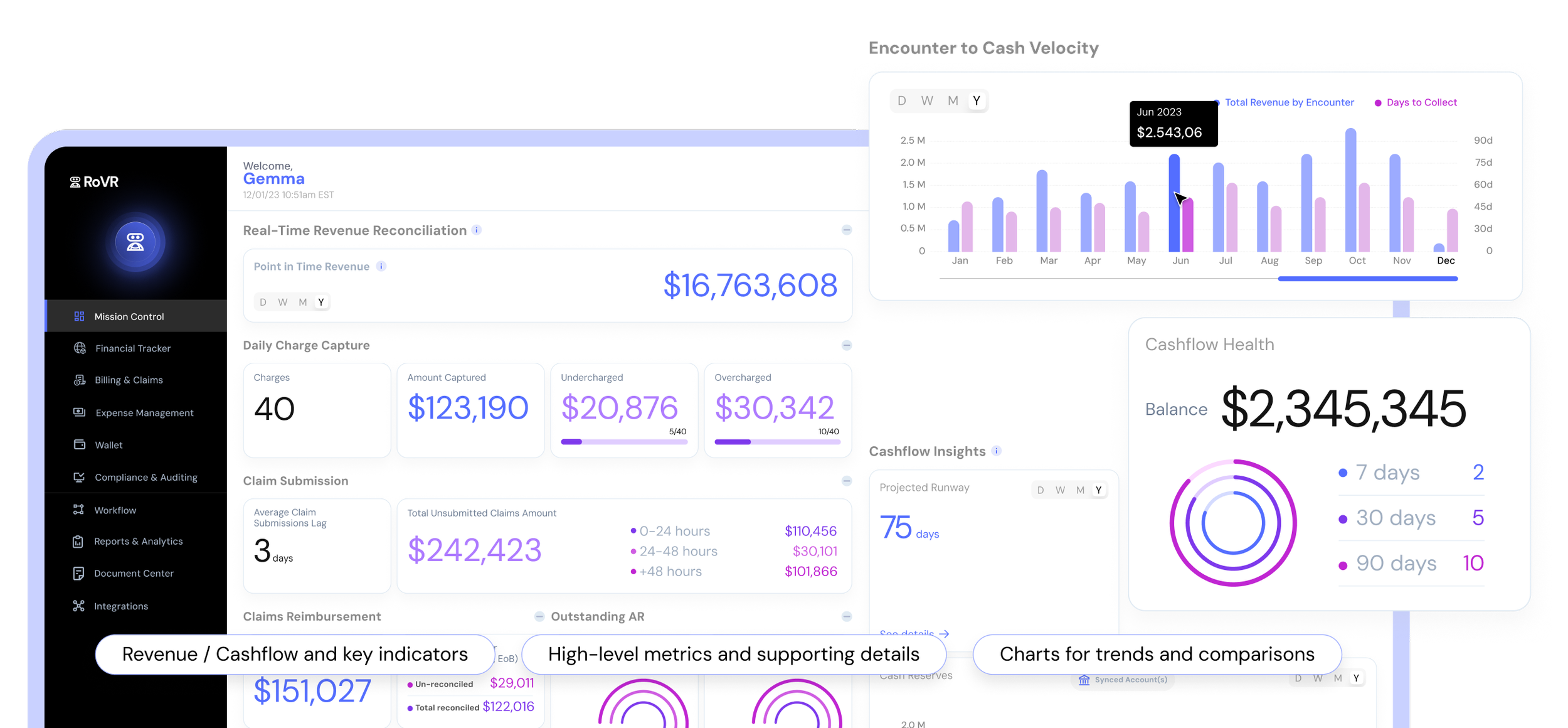
Mission Control
Mission Control was designed to give healthcare practices a centralized view of their financial performance, bringing together revenue, cash flow, claims, and operational metrics.
The design focused on establishing a clear information hierarchy, combining high-level indicators with detailed charts to help users identify trends and navigate financial data more efficiently.
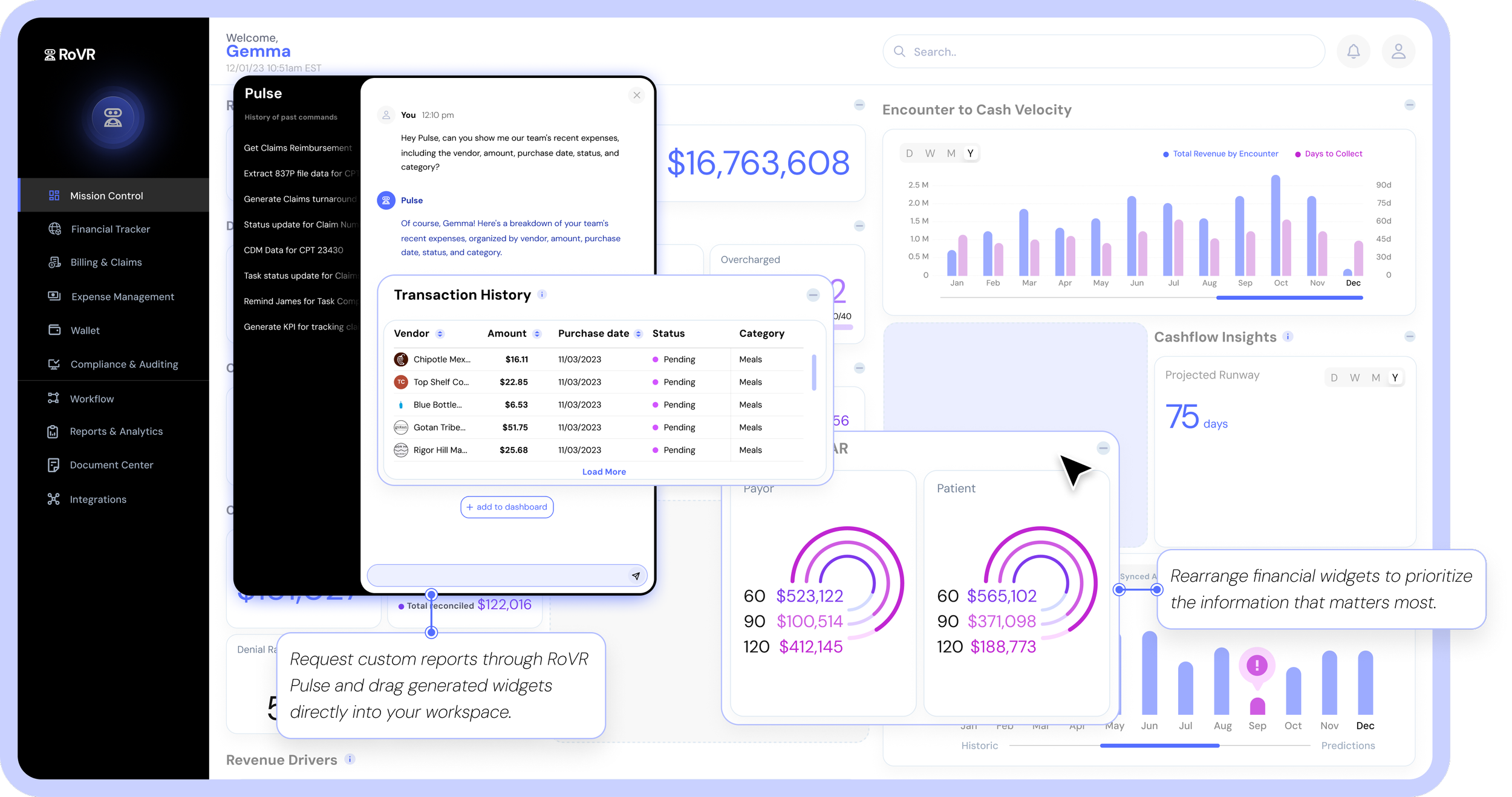
AI-Powered Customization
RoVR Pulse, the platform's AI assistant, extends this flexibility by allowing users to request custom reports and data visualizations. Generated widgets can then be dragged directly from Pulse into Mission Control, creating a more personalized financial workspace.

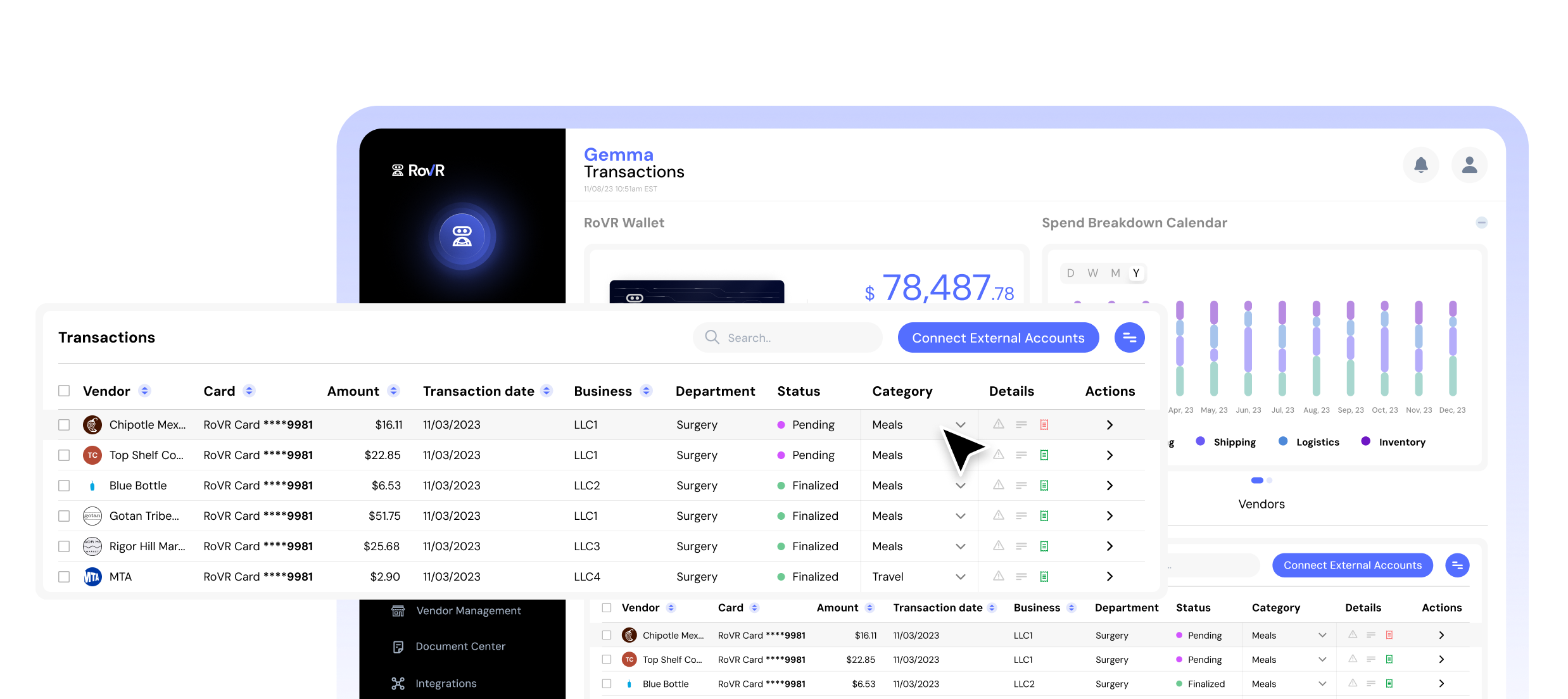
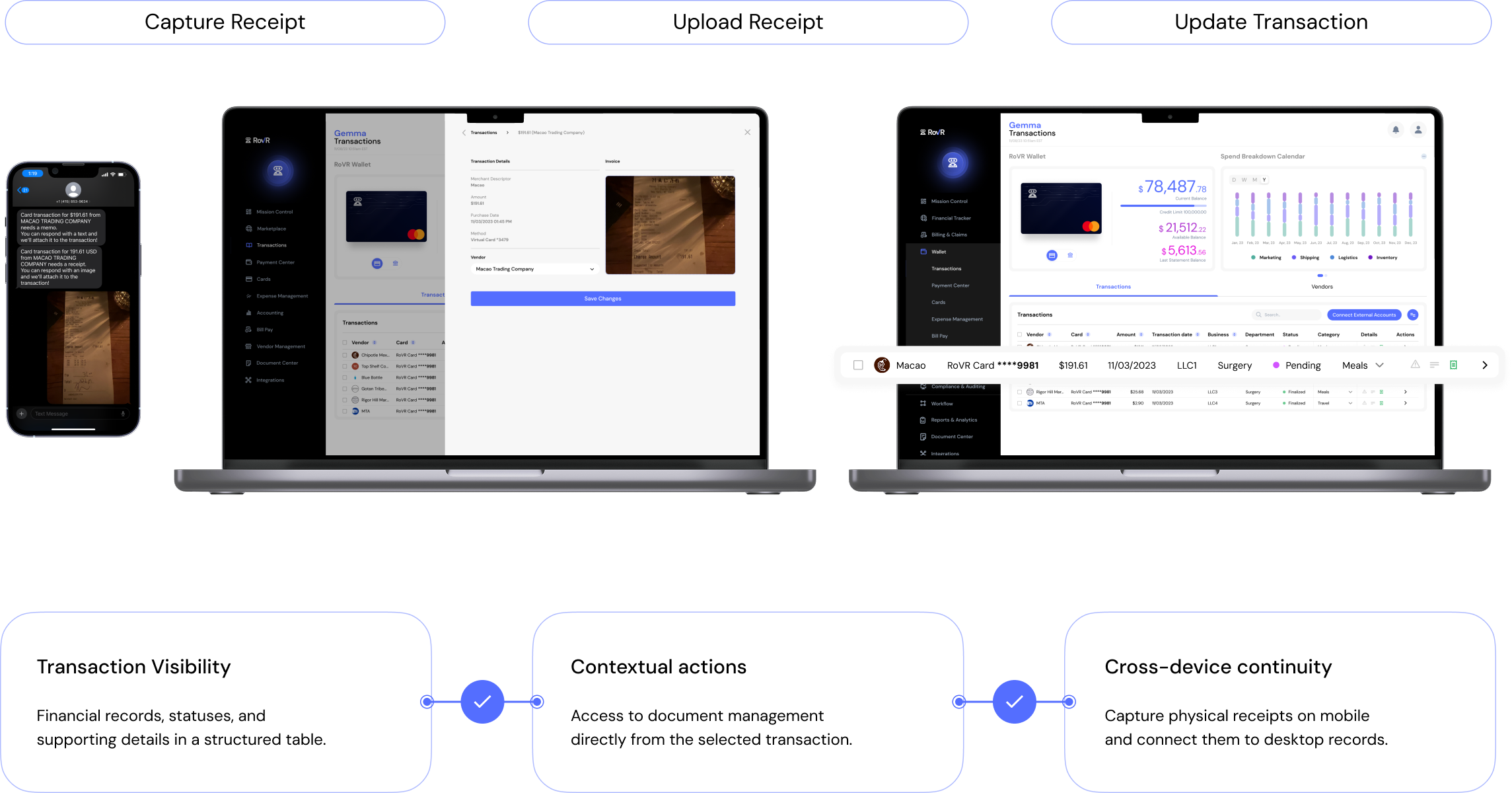
Transactions & Attach Invoice
The Transactions section was designed to help users review financial activity, access transaction details, and organize supporting documentation in one place.
The Attach Invoice flow explored a cross-device experience, allowing users to capture a receipt on their phone and attach it to a transaction on the desktop platform.
The design focused on keeping the process straightforward, with clear actions, consistent transaction details, and a seamless connection between physical documents and digital records.

Expense Management
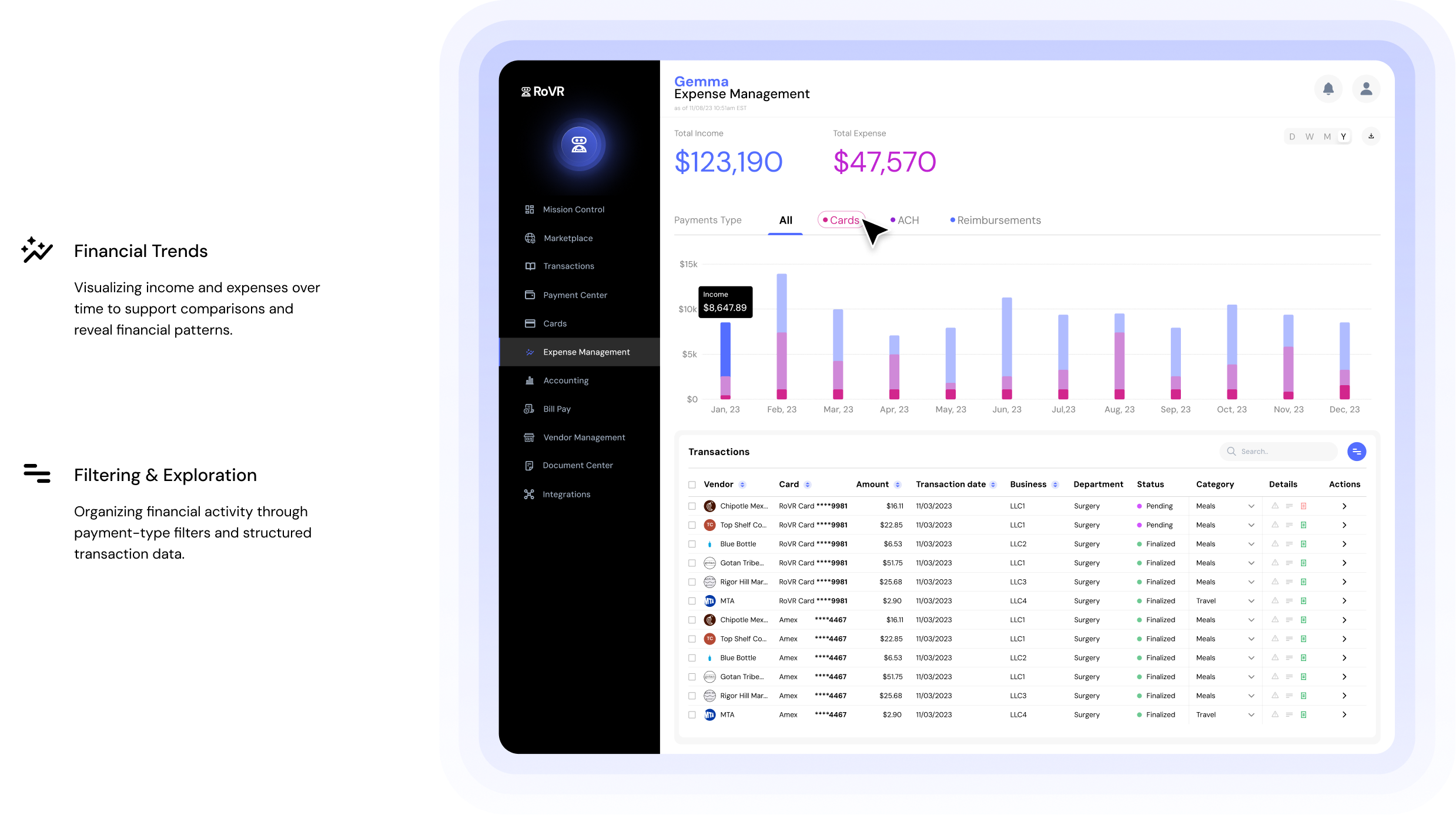
The Expense Management section was designed to help healthcare practices track income and expenses, explore financial trends, and review transactions in greater detail.
By combining financial charts, payment-type filters, and structured transaction tables, the interface brings different levels of financial information into a single, consistent experience.

Payments & Bill Pay
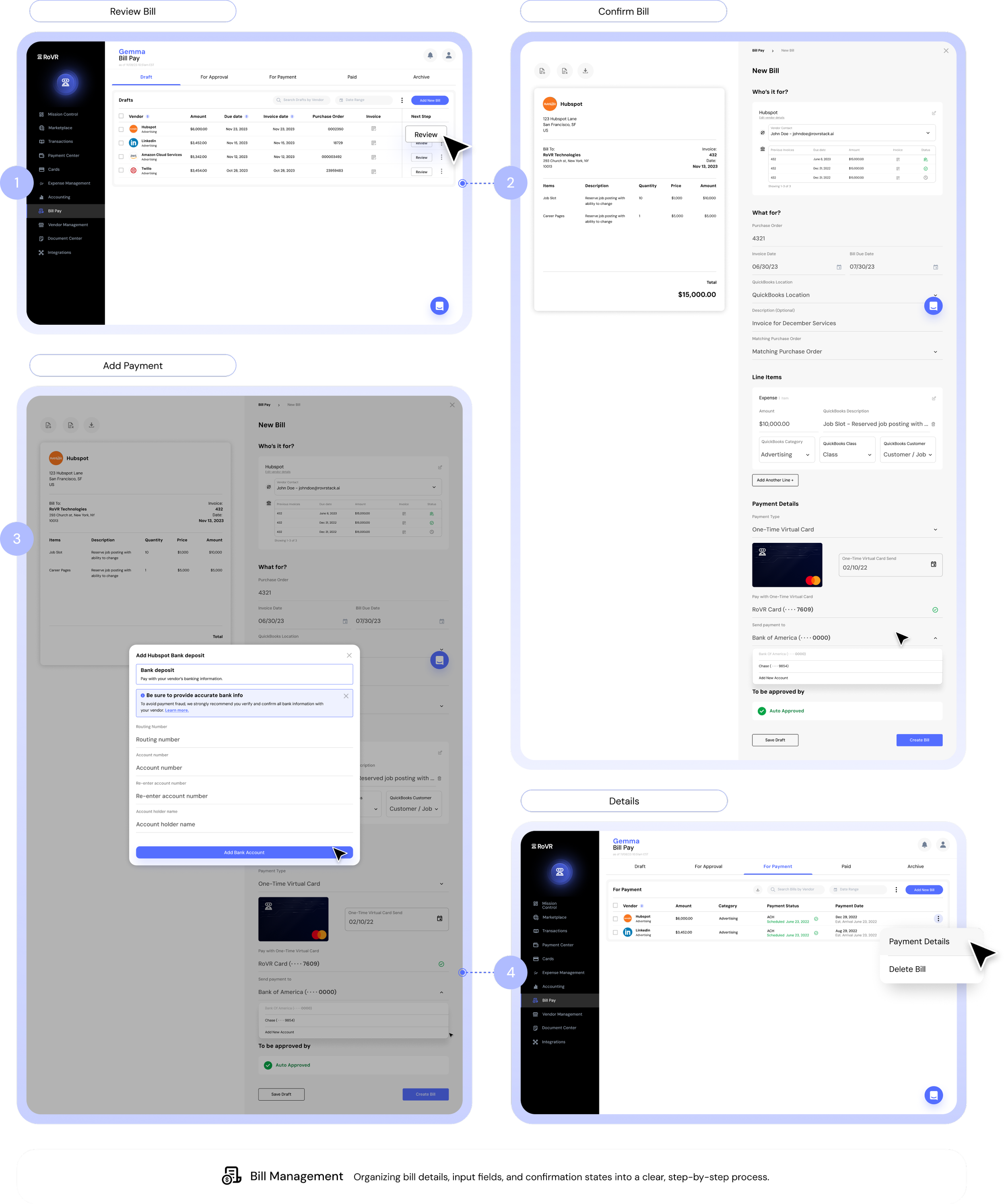
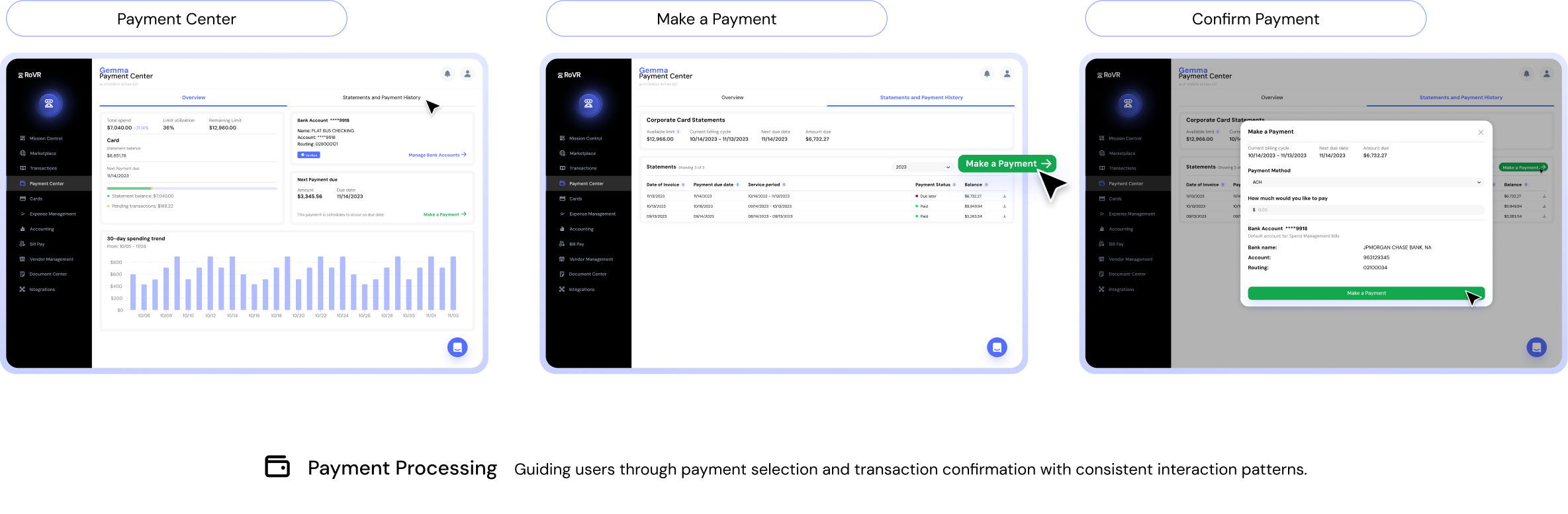
Payment Center and Bill Pay were designed to bring payment-related tasks into a structured, consistent experience.
From reviewing statements and adding bills to selecting payment methods and confirming transactions, the interfaces focused on clear form layouts, contextual actions, and recognizable states throughout each workflow.

Marketplace
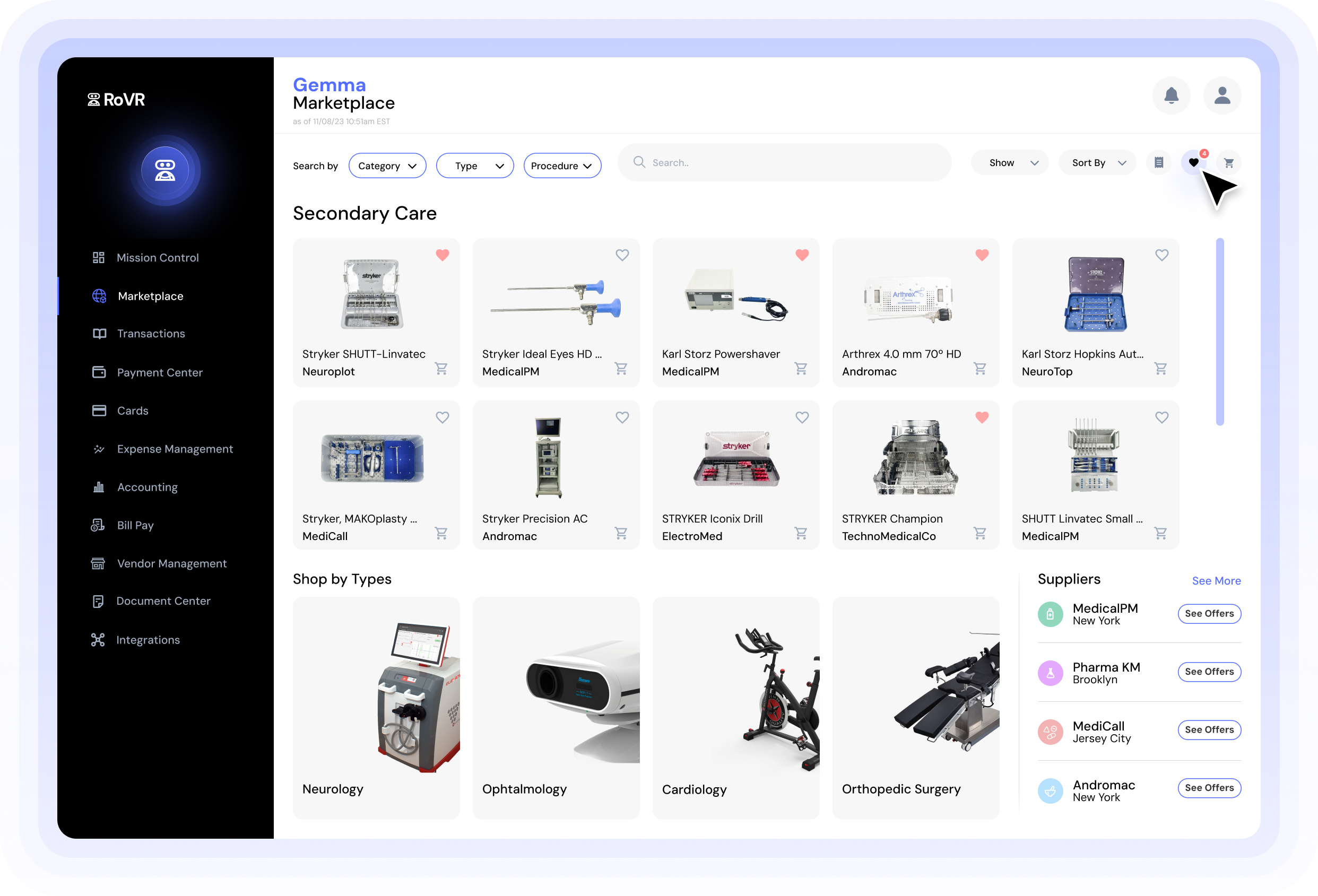
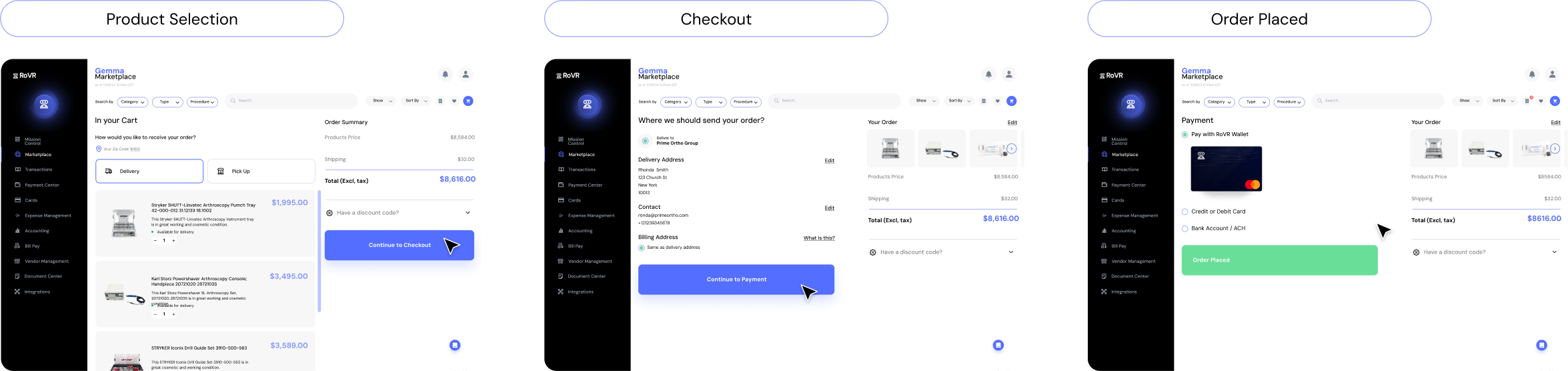
The Marketplace introduced a shopping experience for medical equipment and supplies within RoVR.
From product discovery to checkout, the design applied the platform's visual language and interaction patterns to create a consistent experience across financial management and purchasing workflows.

Outcomes & Reflections
As RoVR's sole designer, I helped bring the platform from early concepts to an implemented MVP, establishing its visual identity, core interfaces, and interaction patterns.
$2M
Funding Secured
The product was showcased to investors during a successful $2M funding round, marking an important milestone in the company's development.
Key Takeaways
Working closely with founders and engineers reinforced the importance of balancing design quality, consistency, and development speed. It also highlighted the value of early user validation, an area I would prioritize in future iterations.